
CalendarHub on Apple TV
Your family calendar. On Apple TV.
With Plus or Family Circle, see the family calendar, shared to-dos and today’s school day on your television. Free shows scenes, clock and date.


A shared point of reference
A glance at
what’s coming.
See today’s plans and the next six days in an interface made for the television. The display is view-only; use your phone, tablet, Mac or browser to make changes.
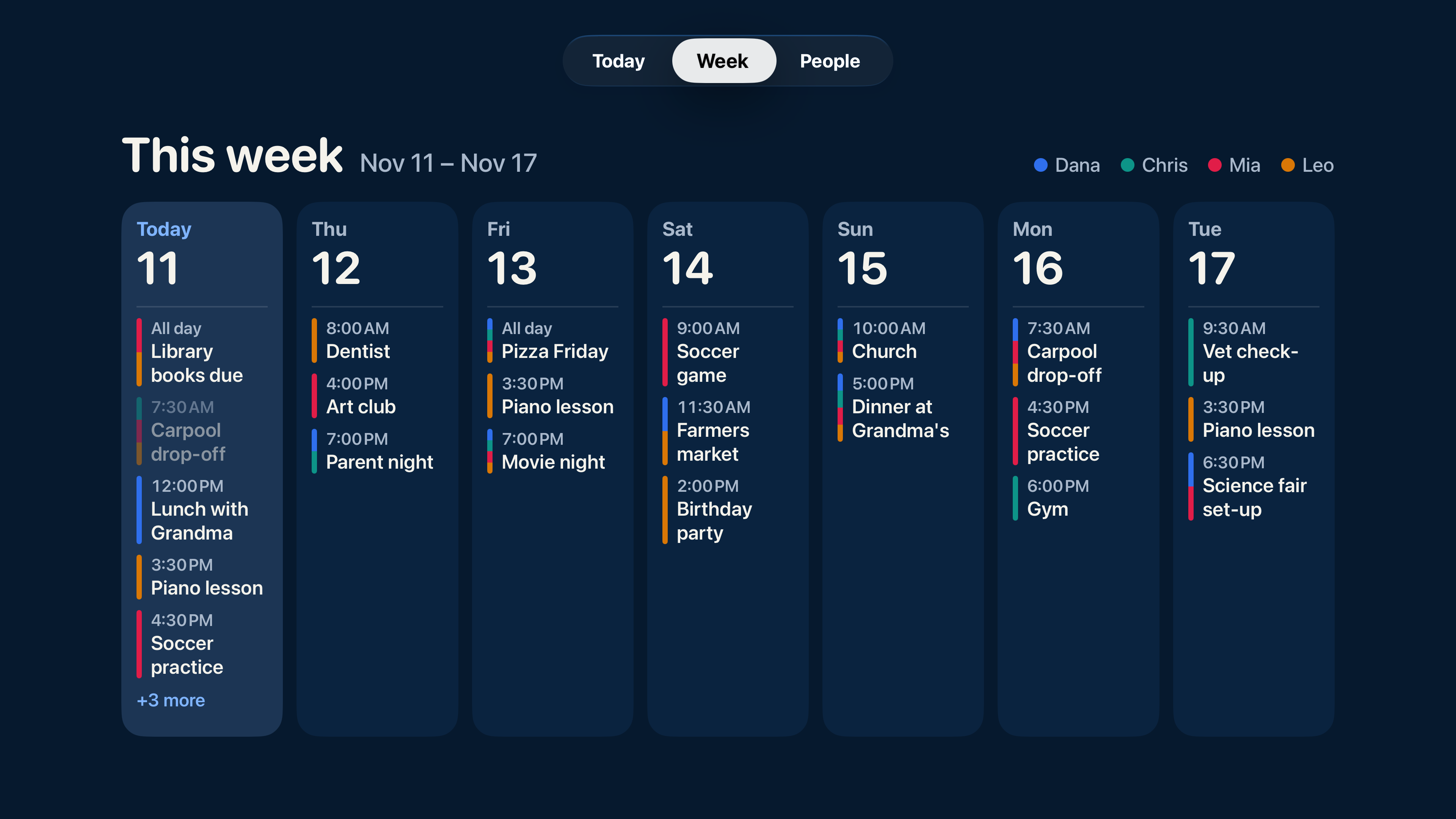
Use the TV you have.
You’ll need a compatible Apple TV and a television. Pair up to five Apple TVs with one household.
A verse, if you choose.
The optional daily verse follows the scripture source you choose. You can leave it off.
Keep personal details off screen.
Medications, only-me to-dos, notes and street addresses stay off the TV. Switch on Guests mode to hide household plans while visitors are over.
Apple TV setup
Pair it with your family.
Open CalendarHub on Apple TV.
The pairing screen shows a QR code and a short code.
Scan and approve.
A household owner or adult editor with a verified email can scan the QR code and approve the TV in CalendarHub. You can also enter the short code at app.calendarhub.app/tv.
Choose what the family sees.
With Plus or Family Circle, shared plans appear on the television. Manage paired televisions and display choices in Settings → Apple TV on your phone.
Does the Apple TV family calendar require a paid plan?
Yes. Plus and Family Circle include the family calendar, shared to-dos and today’s school day on Apple TV. Free shows scenes, clock and date. The daily verse is optional.
Do I need to buy a special calendar display?
No CalendarHub-branded display is required. Use a compatible Apple TV connected to your television.
Who can pair an Apple TV?
Household owners and adult editors with a verified email can pair and manage up to five TVs per household. Scan the QR code or enter the displayed code at app.calendarhub.app/tv.
Is this the same interface as the iPad app?
No. Apple TV has its own family-display interface. The iPad and iPhone apps each have their own interface as well.
Bring everyone’s
week together.
Coming soon on the App Store. Free plan, with 14 days of Plus included.
Unlimited people · No ads