
Capture & assistants
Turn the school flyer into a plan.
Capture an event or to-do from text or a photo on a compatible iPhone, iPad or Mac with Apple Intelligence. Plus and Family Circle also let you connect Claude or ChatGPT.
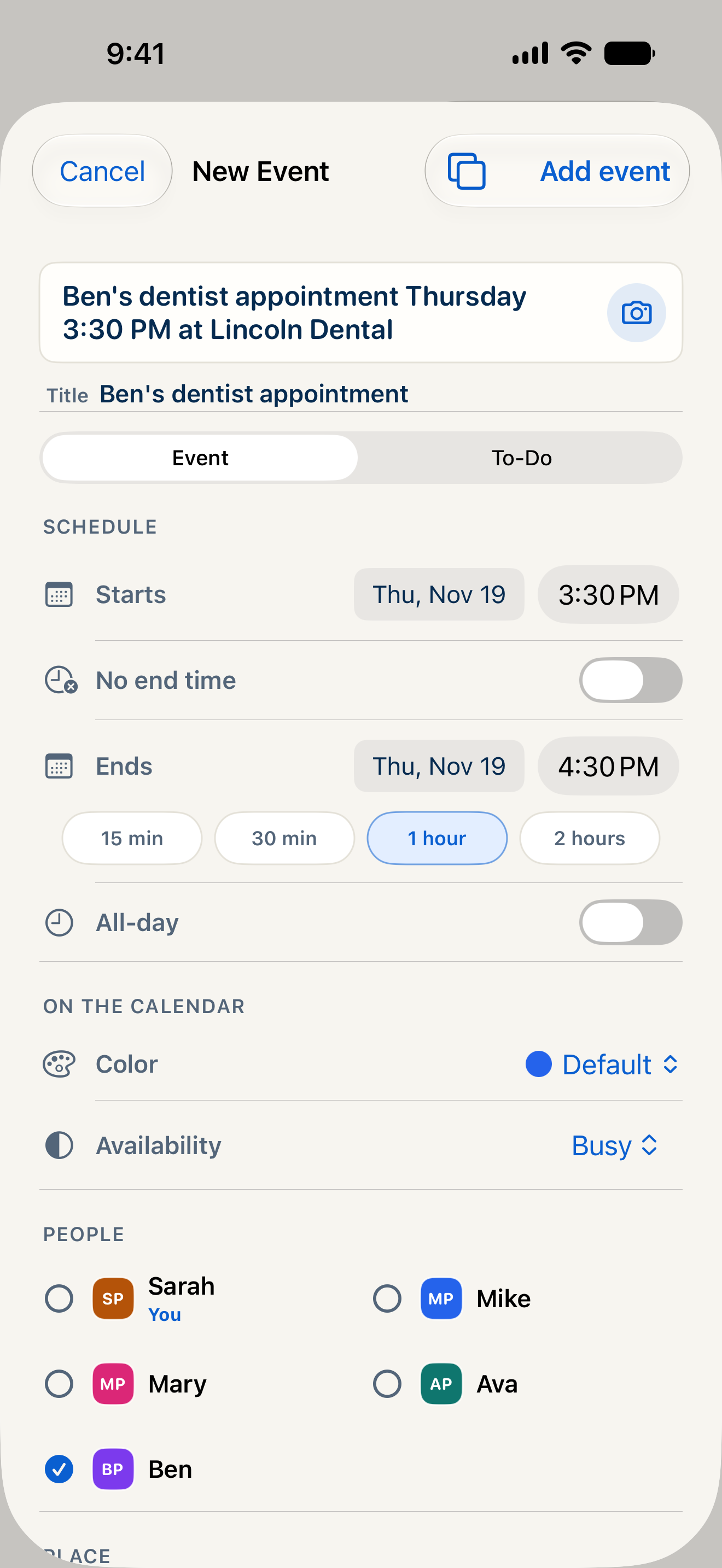
Capture on iPhone, iPad or Mac.
On-device capture is included on every plan. It needs a compatible device running iOS 27, iPadOS 27 or macOS 27 or later, with Apple Intelligence enabled. Check the suggested details before saving.
Ask about the week. Add what’s missing.
With Plus or Family Circle, a connected assistant can read the information you allow, add or edit individual events, and add or check off to-dos and shopping items. Individual changes can be saved directly; event batches, new repeating events and changes across a series require approval in CalendarHub.
Choose what you connect.
The assistant connection is optional and can be disconnected. Information an assistant receives is handled under that provider’s terms and privacy policy. On-device capture processes its photo or text on your own device.
Can CalendarHub capture an event from a photo?
Yes, on a compatible iPhone, iPad or Mac running iOS 27, iPadOS 27 or macOS 27 or later with Apple Intelligence enabled. Capture is included on every plan. Review the suggested event or to-do before saving.
Can I connect CalendarHub with ChatGPT or Claude?
Yes. The optional assistant connector is included with Plus and Family Circle. It can read the information you allow and make supported changes on your behalf. You can disconnect it at any time.
Does every assistant change need approval in CalendarHub?
No. Individual event, to-do and shopping-item changes can take effect directly, within your permissions. Event batches, new repeating events and changes to multiple occurrences require approval in CalendarHub.
Bring everyone’s
week together.
Coming soon on the App Store. Free plan, with 14 days of Plus included.
Unlimited people · No ads